
CloudFront signed URLs are often described as a configuration problem, but in real production systems, the failure is not always inside CloudFront. Sometimes the CloudFront distribution, viewer restriction, trusted key group, and private content setup are correct — and the real issue is how the signed URL is generated at runtime inside the application.
That was the case in a WordPress/PHP implementation where a protected video needed to load on page load using a CloudFront-signed URL. The goal was straightforward: generate a secure, short-lived URL that allowed one-hour access to the video. In theory, the setup was simple. In practice, CloudFront kept denying access.
The Goal: Secure One-Hour Access to a Protected Video
The use case was clear: a WordPress page needed to load a private video through CloudFront using a signed URL. Viewer restriction was enabled, and the CloudFront distribution used a trusted key group to validate access.
This type of setup is useful for:
- Protected video content.
- Member-only digital resources.
- Paid educational materials.
- Private media delivery.
- Short-lived file access without exposing the origin publicly.
The intended result was a signed URL that gave the viewer temporary access without making the underlying file public. The URL only needed to be valid for a limited time, which made a one-hour signed URL the right access pattern.
The Symptom: CloudFront Kept Denying Access
The frustrating part was that the signed URL was being generated, the protected file existed, and CloudFront was reachable. But access still failed.
When a signed URL fails, it is natural to check the obvious configuration areas first:
- Is the CloudFront distribution deployed?
- Is viewer restriction enabled correctly?
- Is the trusted key group attached?
- Does the object path match the private file?
- Is the signed URL expired?
- Are S3 and CloudFront permissions aligned?
Those checks matter. But in this case, the deeper issue was not only CloudFront configuration. It was the runtime signing implementation inside WordPress/PHP.
Why Manual Signing Can Become Fragile
At first, the signed URL was being built manually using PHP signing logic with openssl_sign(). Manual signing can work, but it also creates room for subtle failures.
Signed URL generation depends on precise details such as:
- The correct private key.
- The correct public key pair or trusted key group relationship.
- The correct policy format.
- The correct expiration value.
- The correct signature encoding.
- The correct runtime environment and dependency behavior.
If one part of that signing process is off, CloudFront may deny access even when the rest of the system appears correct.
The Real Fix: Treat Signed URL Generation as Runtime Infrastructure
The fix was not simply another CloudFront setting. The real solution was to handle the signed URL generation cleanly inside the WordPress/PHP application.
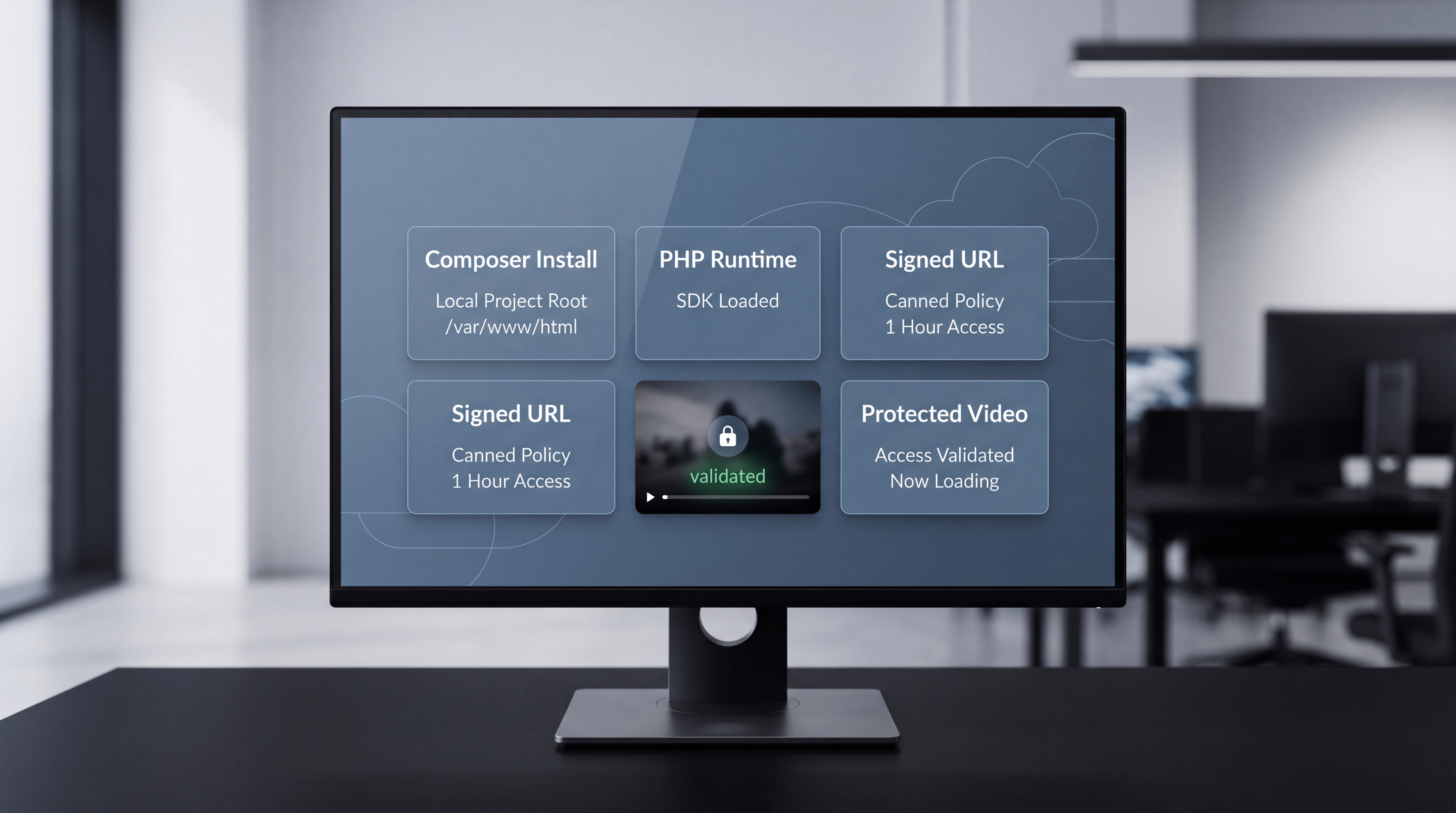
Three changes resolved the issue:
- Install the AWS SDK for PHP directly inside the WordPress project root.
- Use a canned policy for the short-lived access use case.
- Generate the signed URL with the SDK’s UrlSigner class instead of manually building the signature.
Once the runtime signing path was corrected, the protected video loaded instantly with a secure signed URL.
Fix 1: Install the AWS SDK for PHP Inside the WordPress Project
The AWS SDK for PHP needed to be installed directly inside the WordPress project root, such as /var/www/html, using Composer. Installing or expecting dependencies globally was not the right approach for this runtime environment.
For a WordPress application, dependency location matters because the code running inside the site needs predictable access to the SDK classes at runtime. If the SDK is installed somewhere WordPress is not loading from, the signing logic can become unreliable or fail entirely.
The engineering lesson is simple: install application dependencies where the application can actually load them.
Fix 2: Use a Canned Policy for Short-Lived Signed URLs
The next fix was switching to a canned policy. For this use case, the signed URL only needed to provide secure access to a specific video for a short period of time. There were no IP restrictions, wildcard conditions, or complex custom policy rules required.
That made a canned policy the better match.
A canned policy is appropriate when the access requirement is simple:
- Allow access to one specific resource.
- Set a clear expiration time.
- Avoid extra conditional logic that is not needed.
Using a more complex policy than the use case requires can make troubleshooting harder. In this situation, the simpler policy was the correct engineering choice.
Fix 3: Use the SDK’s UrlSigner Class
The most important implementation change was using the AWS SDK for PHP’s UrlSigner class to generate the CloudFront signed URL.
Instead of manually assembling the URL, policy, signature, and encoding, the SDK handled the signing flow cleanly. That reduced implementation risk and aligned the runtime code with the expected CloudFront signing behavior.
This matters because secure URL signing is not a place where application code should be unnecessarily fragile. A reliable SDK-based implementation is easier to maintain, easier to reason about, and less likely to break from small formatting or encoding mistakes.
Why This Was a Runtime-Level Problem
This issue was not just about whether CloudFront was configured correctly. It was about whether the WordPress/PHP application was generating the signed URL correctly at the moment the page loaded.
That distinction matters because CloudFront signed URL workflows have two sides:
- CloudFront configuration: the distribution, trusted key group, viewer restriction, cache behavior, and origin access setup.
- Runtime implementation: the application code that generates the signed URL, loads dependencies, selects the policy type, and signs the request.
If the runtime implementation is wrong, CloudFront can still deny access even when the distribution setup looks correct.
When to Use This Pattern
This WordPress/PHP runtime pattern is useful when private content needs to be delivered securely through CloudFront from a self-hosted or custom application environment.
It fits use cases such as:
- Loading a protected video on page load.
- Generating member-only media access.
- Serving gated educational content.
- Providing short-lived access to paid resources.
- Keeping the origin private while still delivering content efficiently through CloudFront.
The important point is that secure access should feel seamless to the user while remaining controlled behind the scenes.
A Practical Troubleshooting Checklist
If CloudFront signed URLs are failing inside a WordPress/PHP application, check both the configuration and the runtime implementation.
- Confirm that viewer restriction is enabled on the correct CloudFront behavior.
- Confirm that the trusted key group is attached correctly.
- Confirm that the private key matches the public key trusted by CloudFront.
- Confirm that the URL expiration time is valid.
- Confirm that the AWS SDK for PHP is installed inside the project where WordPress can load it.
- Confirm that Composer autoloading is included correctly.
- Use a canned policy when the use case only needs short-lived access to a specific resource.
- Use the SDK’s UrlSigner class instead of hand-building the signed URL unless there is a strong reason not to.
This checklist helps avoid wasting time on CloudFront settings when the actual problem is happening inside the application runtime.
The Bigger Engineering Lesson
Sometimes it is not your CloudFront configuration that is broken. Sometimes it is how the application signs the URL.
That is an important distinction for engineers, founders, and technical teams building private content workflows. Secure digital delivery depends on more than a correct console setup. It also depends on clean runtime architecture, predictable dependencies, and reliable signing code.
When the AWS SDK was installed directly inside the WordPress project, the use case was simplified with a canned policy, and UrlSigner handled the signing process, the protected video loaded exactly as expected.
Software Engineering Support from Changing Crowns®
Changing Crowns® supports custom software, WordPress/PHP systems, cloud delivery workflows, secure content access, and practical digital architecture. Private media delivery, signed URLs, payment-adjacent access, and gated educational resources require careful engineering choices that protect content without creating a frustrating user experience.
From AWS CloudFront and PHP implementation to WordPress, Stripe, custom tools, and full-stack development, Changing Crowns® helps businesses and founders build systems that are secure, usable, and thoughtfully executed.
Explore software engineering, web development, and digital strategy support at changingcrowns.com.
Quick Summary
When CloudFront signed URLs fail inside WordPress/PHP, the issue may not be CloudFront configuration alone. In this runtime-level case, the fix was installing the AWS SDK for PHP directly inside the WordPress project root, using a canned policy for short-lived secure access, and generating the signed URL with the SDK’s UrlSigner class instead of manually signing it with openssl_sign().